> ## Documentation Index
> Fetch the complete documentation index at: https://mintlify-han-update-changelogs.mintlify.site/llms.txt
> Use this file to discover all available pages before exploring further.
# Navigation
> Organize your docs directory to guide your users to the information they need
## Tabs
Tabs help distinguish between different topics or sections of your
documentation. They show up above the main sidebar.
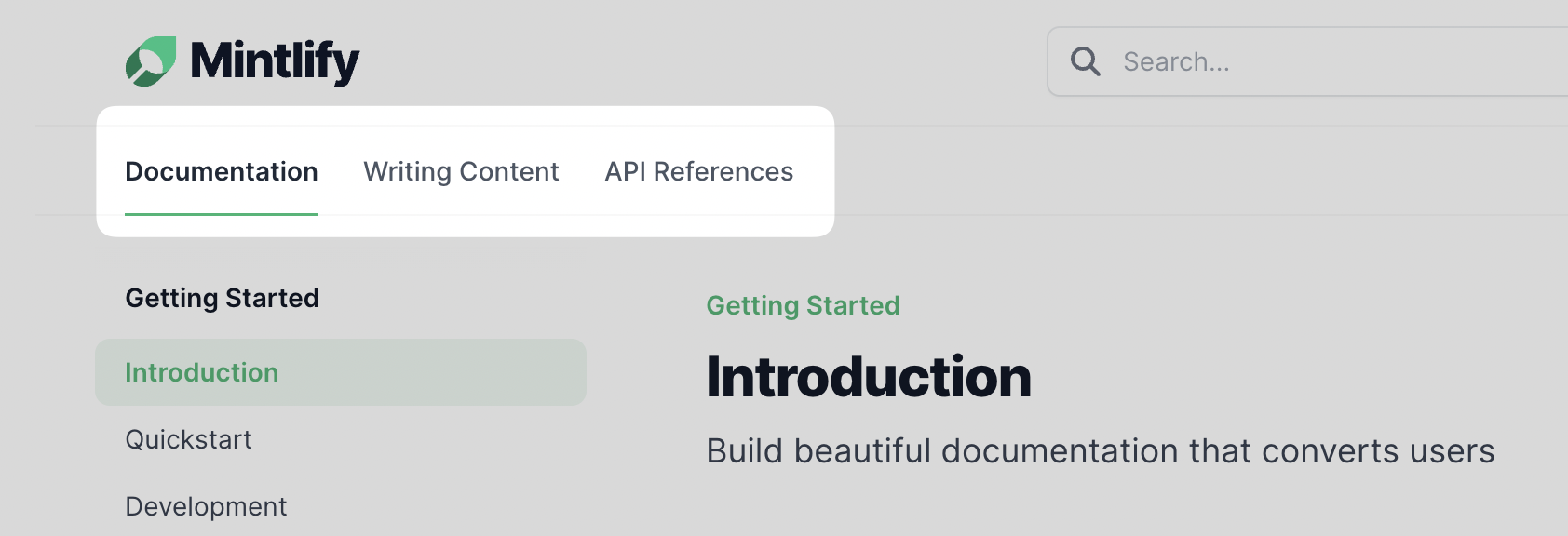
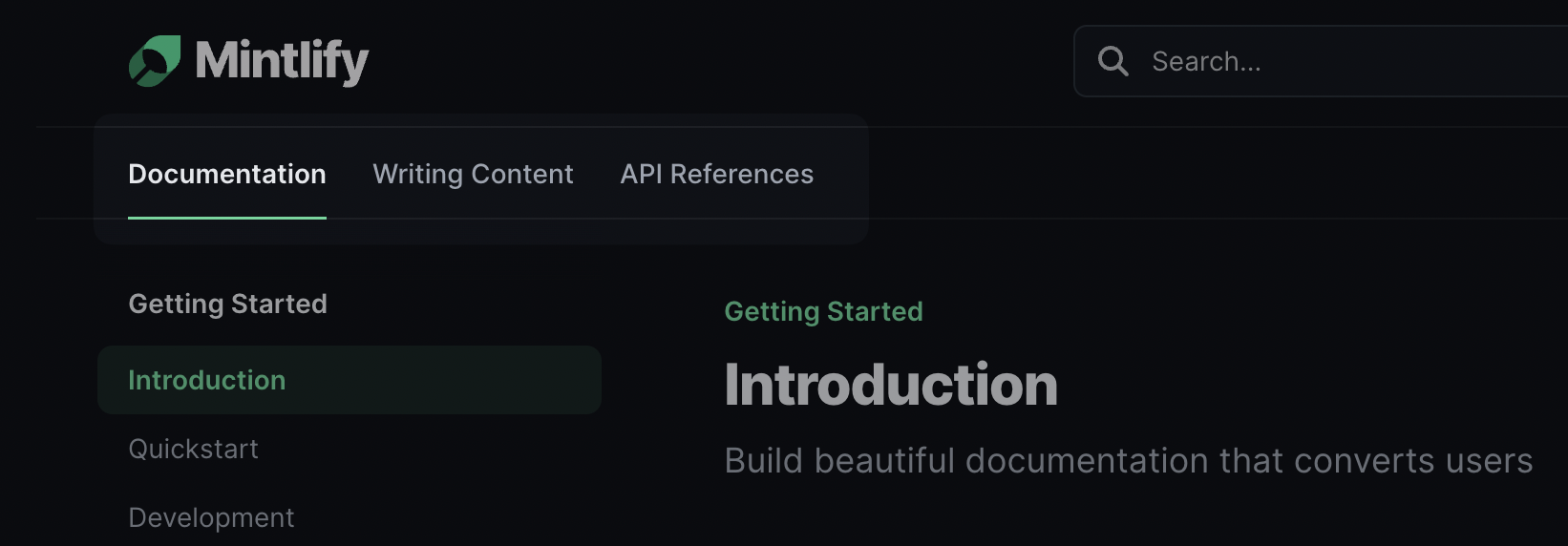 Configure tabs with the `tabs` field of the `mint.json` file. The `url` field of
the tab object should map to a folder of content added to your sidebar, or an
external link.
```json
"tabs": [
{
"name": "API References",
"url": "api-references"
},
{
"name": "Content",
"url": "content"
},
{
"name": "Blog",
"url": "https://your-website.com/blog"
}
]
```
To configure the default `Documentation` primary tab, add the `primaryTab` field
to your `mint.json` file with your desired name. Any files in your navigation
not in a folder reserved by another tab will show up in the primary tab.
```json
"primaryTab": {
"name": "Home"
}
```
## Anchors
Anchors provide another way to direct users to sections of your documentation,
or link out to external URLs.
Configure tabs with the `tabs` field of the `mint.json` file. The `url` field of
the tab object should map to a folder of content added to your sidebar, or an
external link.
```json
"tabs": [
{
"name": "API References",
"url": "api-references"
},
{
"name": "Content",
"url": "content"
},
{
"name": "Blog",
"url": "https://your-website.com/blog"
}
]
```
To configure the default `Documentation` primary tab, add the `primaryTab` field
to your `mint.json` file with your desired name. Any files in your navigation
not in a folder reserved by another tab will show up in the primary tab.
```json
"primaryTab": {
"name": "Home"
}
```
## Anchors
Anchors provide another way to direct users to sections of your documentation,
or link out to external URLs.

 Configure anchors with the `anchors` field of the `mint.json` file. The `url`
field of the tab object should map an external link, or a folder of content
added to your sidebar. More fields for anchors can be found
[here](/settings/global).
```json
"anchors": [
{
"name": "API References",
"icon": "code",
"url": "api-references"
},
{
"name": "Content",
"icon": "pencil",
"url": "content"
},
{
"name": "Contact us",
"icon": "envelope",
"url": "https://mintlify.com/contact-us"
}
]
```
To configure the default `Documentation` top anchor, add the `topAnchor` field
to your `mint.json`.
```json
"topAnchor": {
"name": "Home",
"icon": "building"
}
```
## Sidebar
Organize your navigation by defining the `navigation` property in your
mint.json, You don't need to include `.mdx` in page names.
Once you add a page to your docs directory, you'll need to add the path to
`mint.json` to add it to the sidebar. Pages do not show up automatically.
```json Regular Navigation
"navigation": [
{
"group": "Getting Started",
"pages": ["quickstart"]
}
]
```
### Groups
Create groups by recursively nesting a group within a group.
```json Nested Navigation
"navigation": [
{
"group": "Getting Started",
"pages": [
"quickstart",
{
"group": "Nested Reference Pages",
"pages": ["nested-reference-page"]
}
]
}
]
```
### Folders
Simply put your MDX files in folders and update the paths in `mint.json`.
For example, to have a page at `https://yoursite.com/your-folder/your-page` you
would make a folder called `your-folder` containing an MDX file called
`your-page.mdx`.
You cannot use `api` for the name of a folder unless you nest it inside
another folder. Mintlify uses Next.js which reserves the top-level `api`
folder for internal server calls. We recommend using the folder name
`api-reference` instead.
```json Navigation With Folder
"navigation": [
{
"group": "Group Name",
"pages": ["your-folder/your-page"]
}
]
```
```json Nested Navigation
"navigation": [
{
"group": "Getting Started",
"pages": [
"quickstart",
{
"group": "Nested Reference Pages",
"pages": ["nested-reference-page"]
}
]
}
]
```
### Hidden Pages
MDX files not included in `mint.json` will not show up in the sidebar but are
accessible by linking directly to them.
Hidden pages are not indexed for search within your docs by default. If you
would like to override this behavior, you can set the
[`seo.indexHiddenPages`](/settings/global#search-engine-optimization) attribute
in your `mint.json` to `true`.
## Topbar
### Links
Add links to the topbar with the `topbarLinks` field in the `mint.json` file.
Configure anchors with the `anchors` field of the `mint.json` file. The `url`
field of the tab object should map an external link, or a folder of content
added to your sidebar. More fields for anchors can be found
[here](/settings/global).
```json
"anchors": [
{
"name": "API References",
"icon": "code",
"url": "api-references"
},
{
"name": "Content",
"icon": "pencil",
"url": "content"
},
{
"name": "Contact us",
"icon": "envelope",
"url": "https://mintlify.com/contact-us"
}
]
```
To configure the default `Documentation` top anchor, add the `topAnchor` field
to your `mint.json`.
```json
"topAnchor": {
"name": "Home",
"icon": "building"
}
```
## Sidebar
Organize your navigation by defining the `navigation` property in your
mint.json, You don't need to include `.mdx` in page names.
Once you add a page to your docs directory, you'll need to add the path to
`mint.json` to add it to the sidebar. Pages do not show up automatically.
```json Regular Navigation
"navigation": [
{
"group": "Getting Started",
"pages": ["quickstart"]
}
]
```
### Groups
Create groups by recursively nesting a group within a group.
```json Nested Navigation
"navigation": [
{
"group": "Getting Started",
"pages": [
"quickstart",
{
"group": "Nested Reference Pages",
"pages": ["nested-reference-page"]
}
]
}
]
```
### Folders
Simply put your MDX files in folders and update the paths in `mint.json`.
For example, to have a page at `https://yoursite.com/your-folder/your-page` you
would make a folder called `your-folder` containing an MDX file called
`your-page.mdx`.
You cannot use `api` for the name of a folder unless you nest it inside
another folder. Mintlify uses Next.js which reserves the top-level `api`
folder for internal server calls. We recommend using the folder name
`api-reference` instead.
```json Navigation With Folder
"navigation": [
{
"group": "Group Name",
"pages": ["your-folder/your-page"]
}
]
```
```json Nested Navigation
"navigation": [
{
"group": "Getting Started",
"pages": [
"quickstart",
{
"group": "Nested Reference Pages",
"pages": ["nested-reference-page"]
}
]
}
]
```
### Hidden Pages
MDX files not included in `mint.json` will not show up in the sidebar but are
accessible by linking directly to them.
Hidden pages are not indexed for search within your docs by default. If you
would like to override this behavior, you can set the
[`seo.indexHiddenPages`](/settings/global#search-engine-optimization) attribute
in your `mint.json` to `true`.
## Topbar
### Links
Add links to the topbar with the `topbarLinks` field in the `mint.json` file.
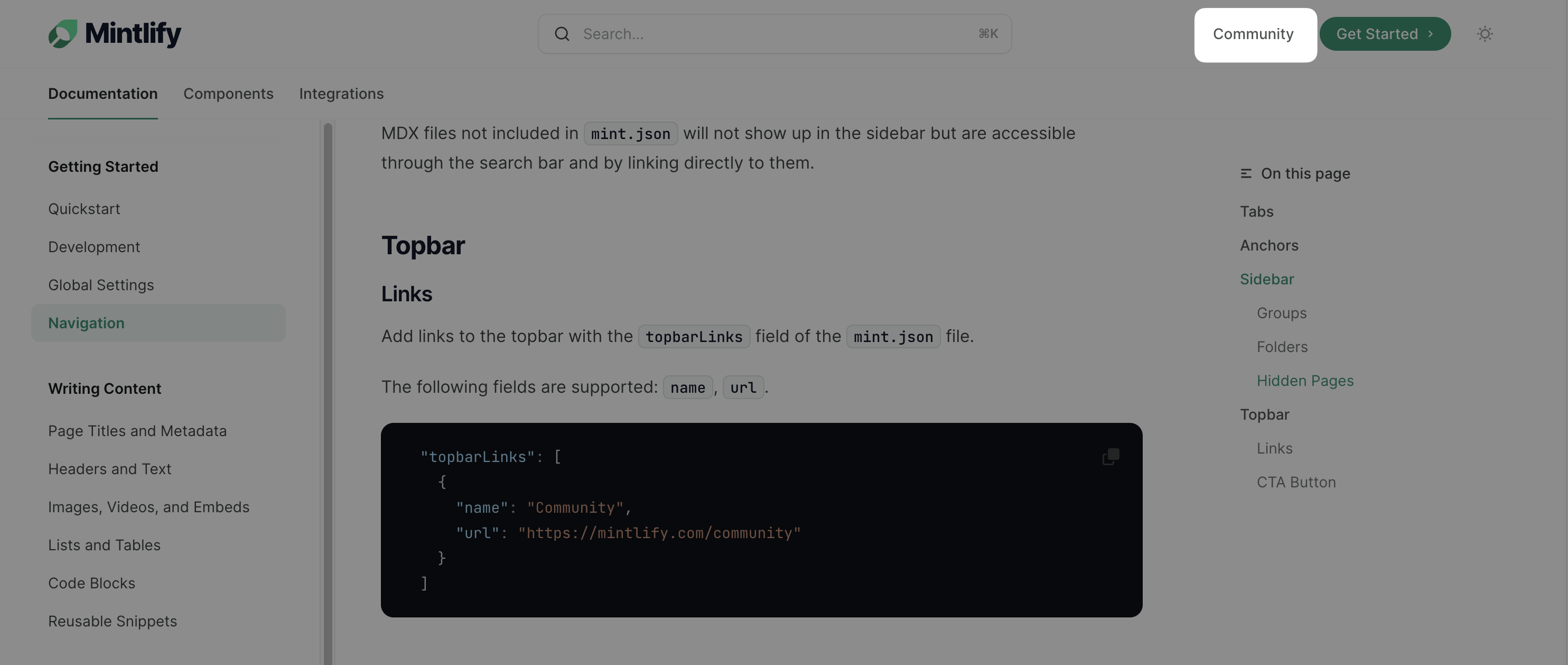 The `topbarLinks` field supports the following fields: `name`, `url`.
```json
"topbarLinks": [
{
"name": "Community",
"url": "https://mintlify.com/community"
}
]
```
### CTA Button
Customize the call-to-action (CTA) button in the topbar using the `topbarCTA`
field.
The `topbarLinks` field supports the following fields: `name`, `url`.
```json
"topbarLinks": [
{
"name": "Community",
"url": "https://mintlify.com/community"
}
]
```
### CTA Button
Customize the call-to-action (CTA) button in the topbar using the `topbarCTA`
field.
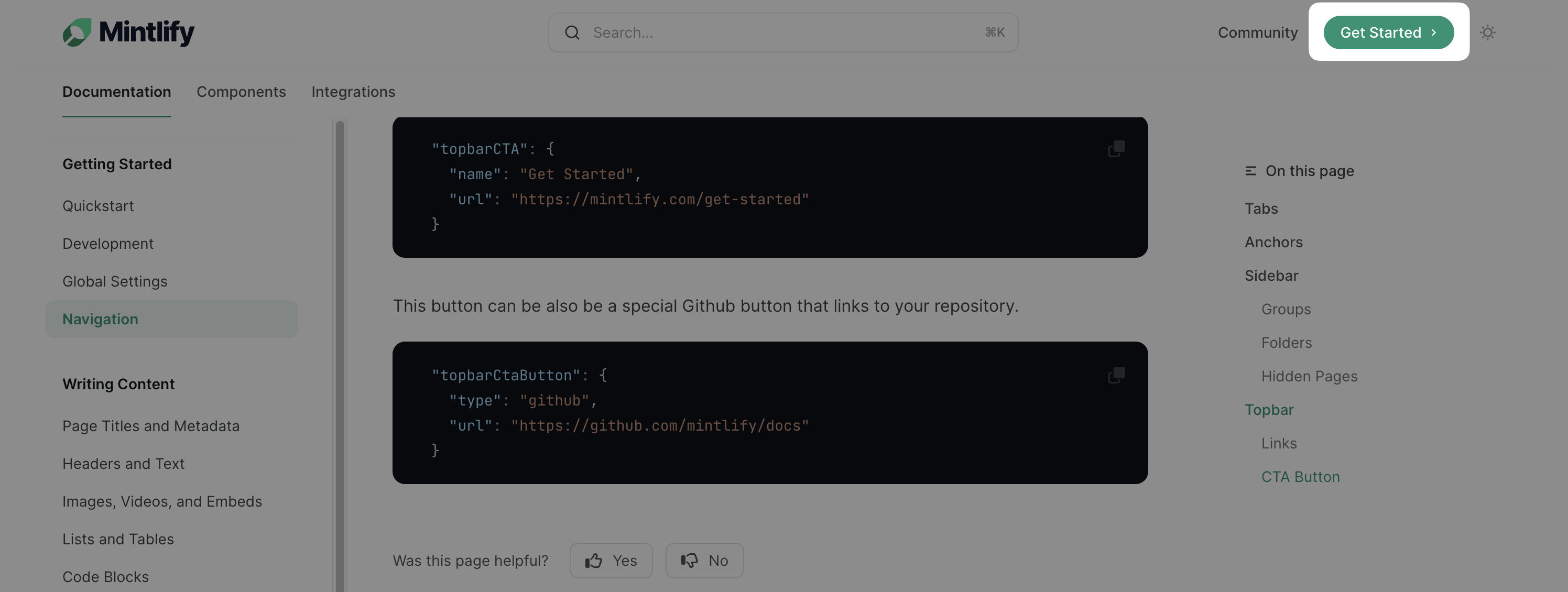 The `topbarCTA` field supports the following fields: `name`, `url`, and `type`.
```json
"topbarCTA": {
"name": "Get Started",
"url": "https://mintlify.com/get-started"
}
```
#### Github
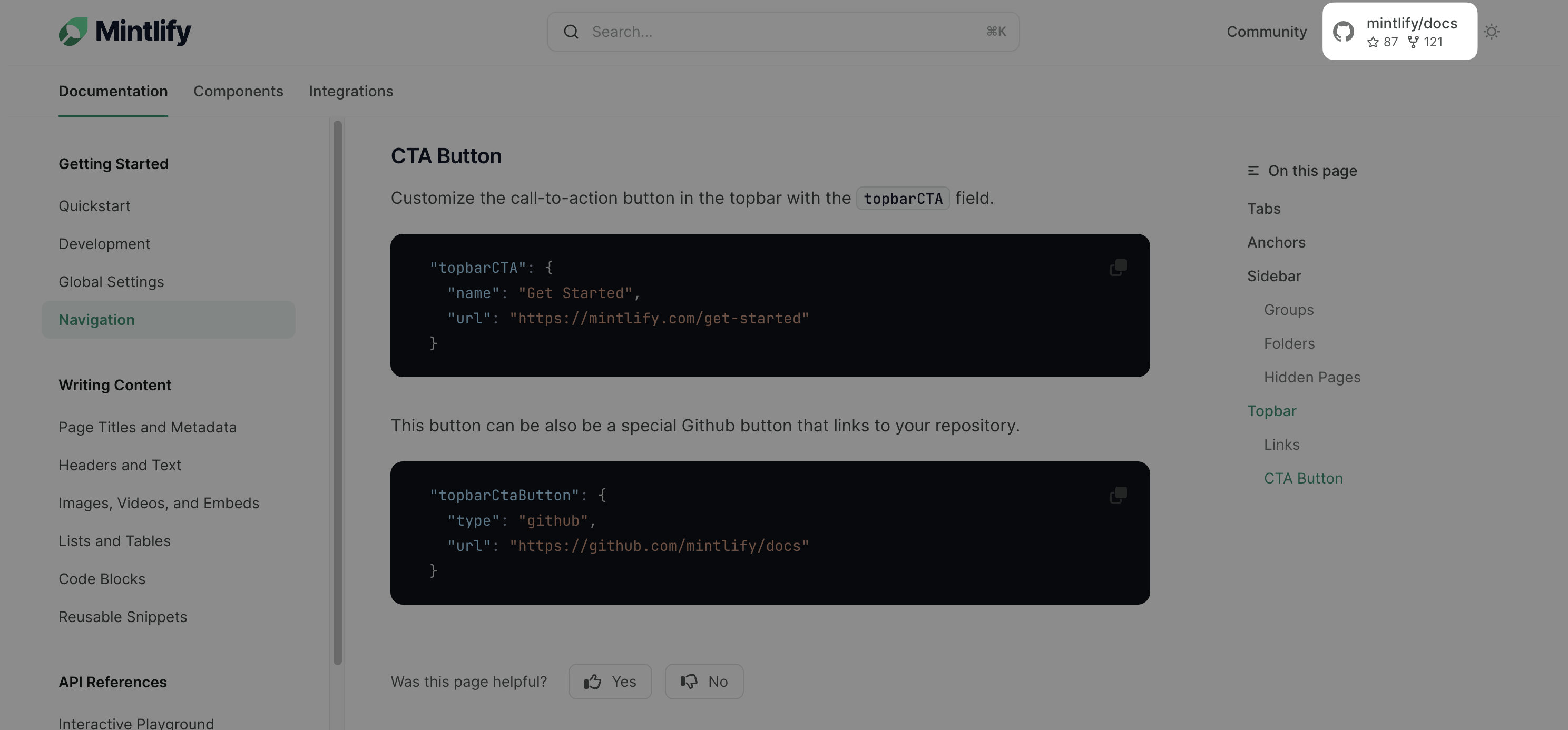
You can also configure the CTA button to link directly to your GitHub
repository. Use the `topbarCtaButton` field with the `type` set to `github`.
The `topbarCTA` field supports the following fields: `name`, `url`, and `type`.
```json
"topbarCTA": {
"name": "Get Started",
"url": "https://mintlify.com/get-started"
}
```
#### Github
You can also configure the CTA button to link directly to your GitHub
repository. Use the `topbarCtaButton` field with the `type` set to `github`.
 ```json
"topbarCtaButton": {
"type": "github",
"url": "https://github.com/mintlify/docs"
}
```
```json
"topbarCtaButton": {
"type": "github",
"url": "https://github.com/mintlify/docs"
}
```