> ## Documentation Index
> Fetch the complete documentation index at: https://mintlify-han-update-changelogs.mintlify.site/llms.txt
> Use this file to discover all available pages before exploring further.
# GitLab
> Sync your docs with a GitLab repo
GitLab integration is available on the [Enterprise plan](https://mintlify.com/pricing).
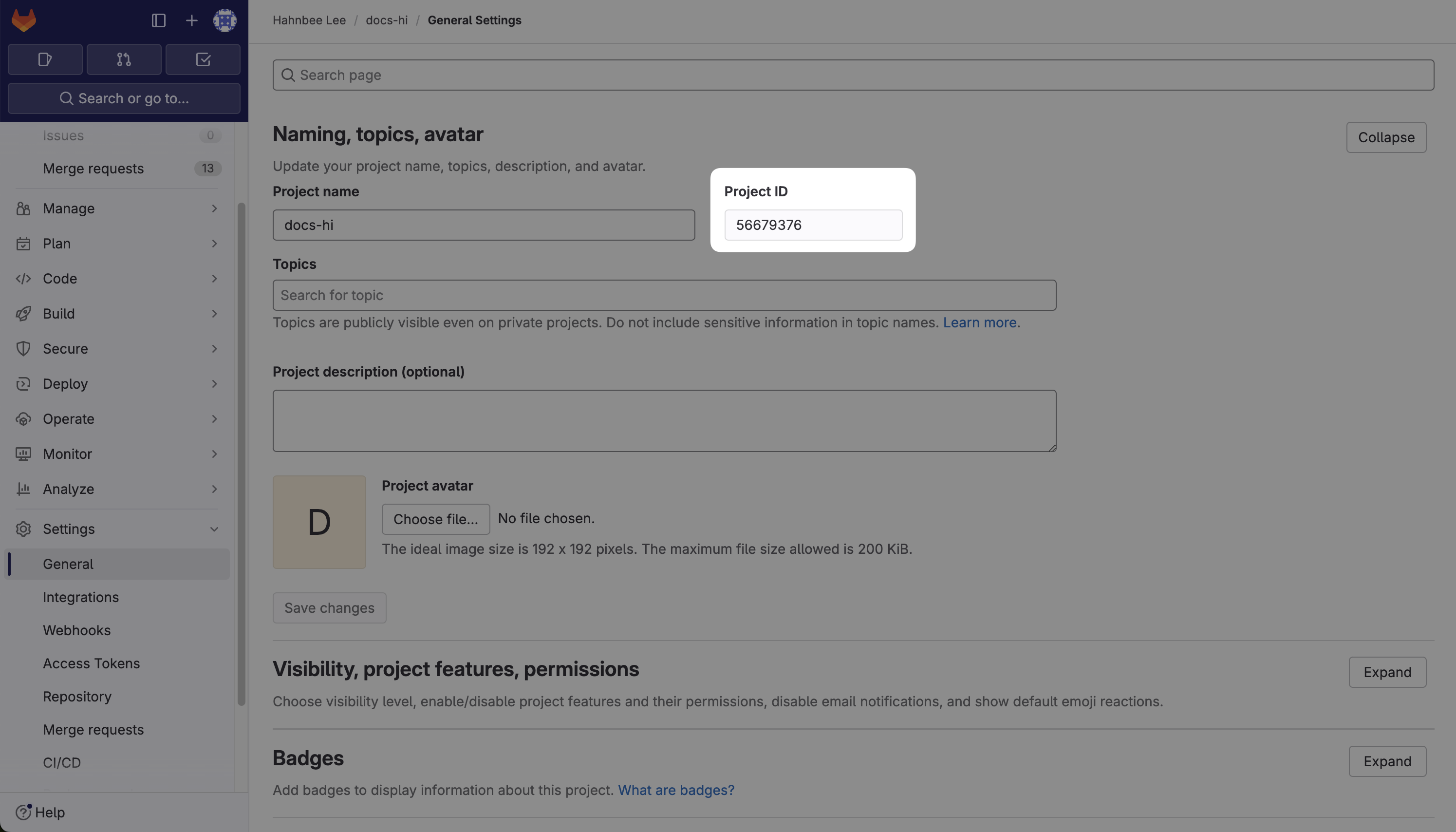
Navigate to your project's `Settings` > `General` and find the Project ID.
 a. Navigate to your project's `Settings` > `Access Tokens`.
b. Select `Add new token`.
1. Name the token "Mintlify" - this specific name is important as it will be visible when we make changes on our end.
2. Choose `read_api` for the scopes.
3. If you have a private repo, you must set the role as `Reporter`.
c. Finally click `Create project access token` and copy the token.
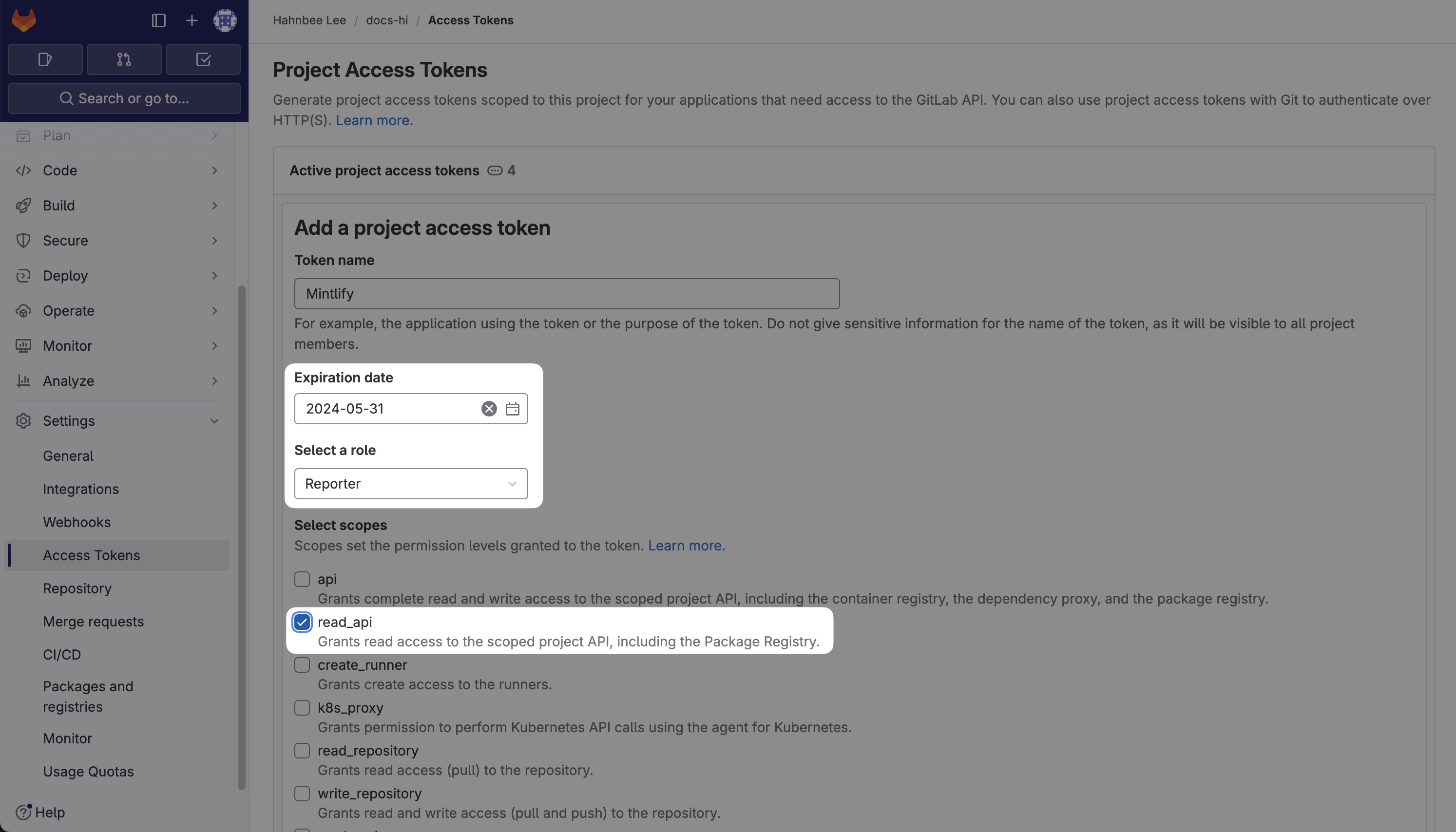
a. Navigate to your project's `Settings` > `Access Tokens`.
b. Select `Add new token`.
1. Name the token "Mintlify" - this specific name is important as it will be visible when we make changes on our end.
2. Choose `read_api` for the scopes.
3. If you have a private repo, you must set the role as `Reporter`.
c. Finally click `Create project access token` and copy the token.
 Contact us [here](https://mintlify.com/enterprise).