> ## Documentation Index
> Fetch the complete documentation index at: https://mintlify-han-update-changelogs.mintlify.site/llms.txt
> Use this file to discover all available pages before exploring further.
# GitHub
> Sync your docs with a GitHub repo
Mintlify integrates with the GitHub API, enabling synchronization between your
docs and your GitHub repository. This integration is made possible through the
utilization of
[GitHub Apps](https://docs.github.com/en/developers/apps/getting-started-with-apps/about-apps#about-github-apps).
## Installation
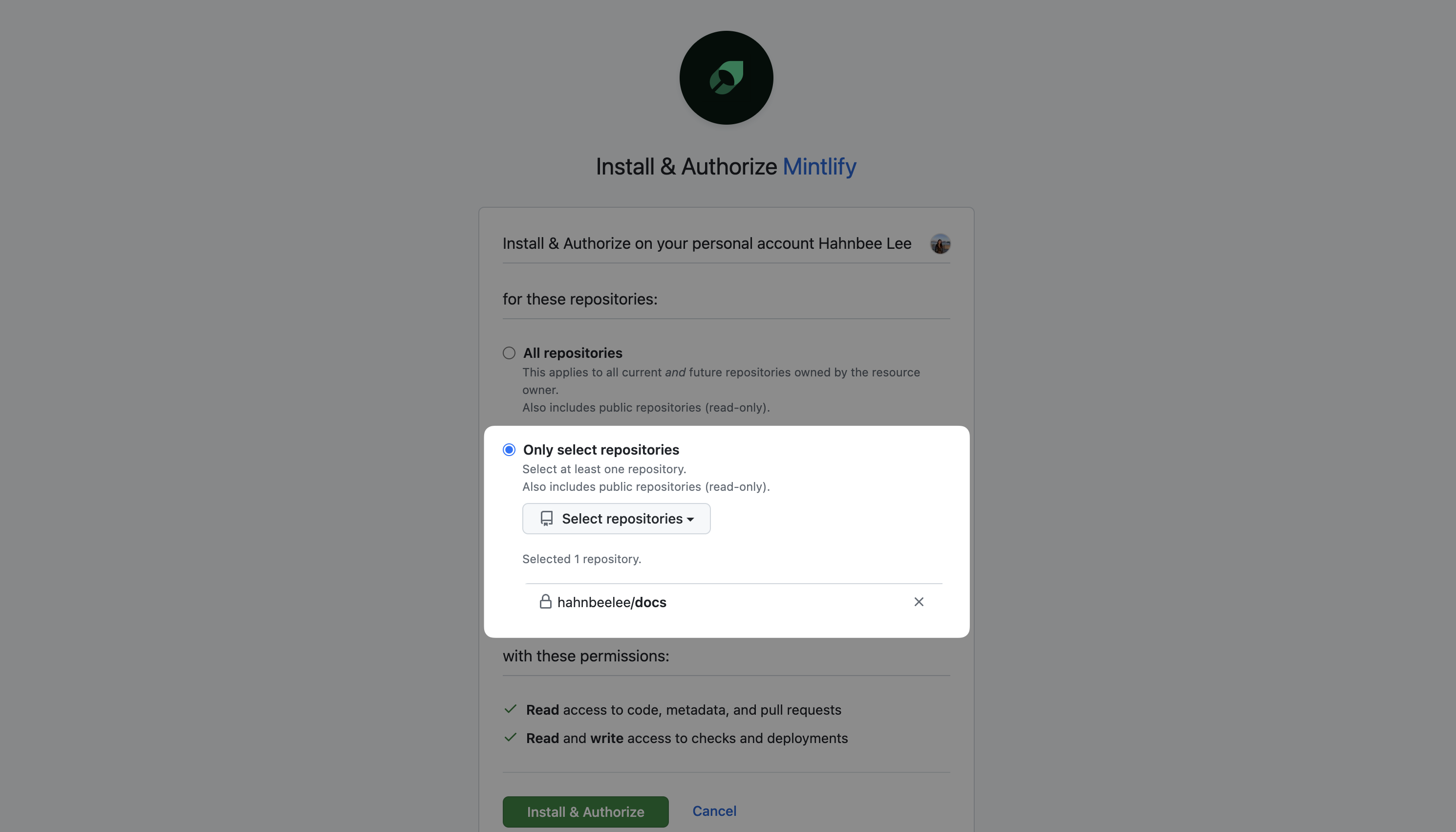
To begin, you need to install the Mintlify GitHub App into the GitHub account
where your docs repo resides. Installing a GitHub App requires either
organization ownership or admin permissions in a repository. If you lack the
necessary permissions, the repository owner will need to approve the request.
You can access the installation page by logging into the
[Mintlify dashboard](https://dashboard.mintlify.com).
For GitHub Apps, you can choose to only give permissions to a single repository.
We highly recommend you do so as we only need access to the repository where
your docs are hosted.
 ## Permissions
During the installation of our GitHub app, you will be prompted to grant certain
permissions:
* Read and write access to `checks`, `contents`, `deployments`, `pull requests`,
and `workflows`
These permissions are leveraged to provide a seamless experience when managing
your docs.
When you make a commit to the branch you configured as your docs deployment
branch, we fetch the contents of the files changed to update your docs. To
accomplish this we need read access to your `contents`.
When pull requests are created we create a check and preview deployment which is
why we need write access to `checks` and `deployments`.
Inside the Mintlify web editor, Mintlify works on your behalf to create branches
and pull requests which is why we need write access to `pull requests` and
`workflows`.
If you are concerned about the write permissions, the GitHub App will only
have access to the repos you give it access to *and* if you have branch
protections on it *cannot* push directly to your branches - it abides by your
branch protection rules.
## Repositories Installations
When installing our GitHub app, you will be prompted to select all repositories
or a subset of them. This selection can be changed at any time by going to the
[GitHub app settings](https://github.com/apps/mintlify/installations/new).
## Permissions
During the installation of our GitHub app, you will be prompted to grant certain
permissions:
* Read and write access to `checks`, `contents`, `deployments`, `pull requests`,
and `workflows`
These permissions are leveraged to provide a seamless experience when managing
your docs.
When you make a commit to the branch you configured as your docs deployment
branch, we fetch the contents of the files changed to update your docs. To
accomplish this we need read access to your `contents`.
When pull requests are created we create a check and preview deployment which is
why we need write access to `checks` and `deployments`.
Inside the Mintlify web editor, Mintlify works on your behalf to create branches
and pull requests which is why we need write access to `pull requests` and
`workflows`.
If you are concerned about the write permissions, the GitHub App will only
have access to the repos you give it access to *and* if you have branch
protections on it *cannot* push directly to your branches - it abides by your
branch protection rules.
## Repositories Installations
When installing our GitHub app, you will be prompted to select all repositories
or a subset of them. This selection can be changed at any time by going to the
[GitHub app settings](https://github.com/apps/mintlify/installations/new).